Best Time to Post on Instagram in 2026, and How to Schedule It in Gridley
In this guide
- Use 2026 benchmarks as a starting point, then refine by your audience and time zone
- Plan any content type in Gridley and see your month at a glance in the Calendar tab
- Pick a date to see everything scheduled for that day, plus reminders before publishing
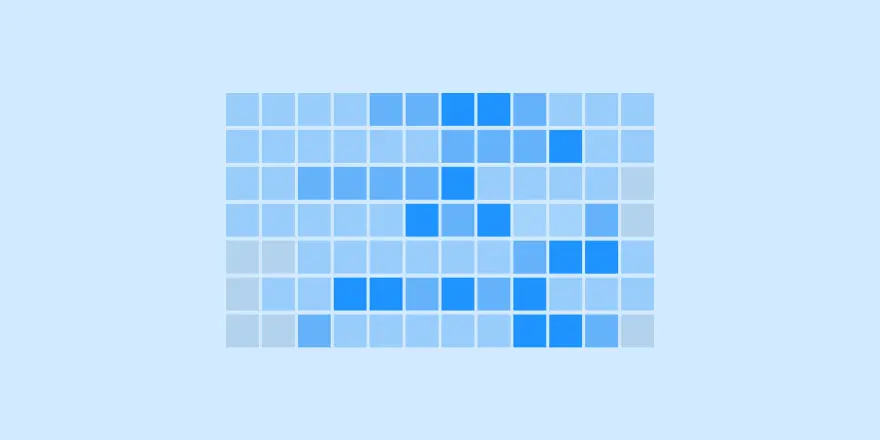
There isn’t one perfect time that works for everyone, but 2026 data gives strong benchmarks. The goal is simple: start with proven time windows, schedule consistently, then adjust based on your own Insights. Gridley helps you do this in one place with a calendar view, reminders, and publishing via the official Instagram API.
Contents
The 2026 benchmark times (start here)
Use these as your baseline, then fine-tune for your audience’s time zone and habits.
Best overall times (2026)
- Thursday: 9 a.m.
- Wednesday: 12 p.m.
- Wednesday: 6 p.m.
Best times by day (quick list)
- Sunday: 8–10 p.m.
- Monday: 6–8 p.m.
- Tuesday: 3–7 p.m.
- Wednesday: 8 a.m., 12 p.m., 6 p.m.
- Thursday: 7–9 a.m.
- Friday: 6 a.m., 9–10 p.m.
- Saturday: 8–10 p.m.
These are best for broad engagement across many accounts. Your niche may skew earlier or later.
Why “best time” works (and when it doesn’t)
Timing helps when two posts are equally good
If your content is strong, posting when more of your audience is active can lift early engagement and distribution.
Timing won’t fix weak content
If posts aren’t being saved, shared, or watched, the schedule won’t carry them. Fix the format, hook, and value first.
The simple rule: pick one reliable window, then test
Instead of chasing 20 different times, do this:
Choose a primary window for the next 14 days
Pick one that matches your audience:
- lunch window: 11 a.m.–1 p.m.
- evening window: 6–9 p.m.
- early window: 7–9 a.m. (often strong on Thursdays)
Test one variable at a time
Change only one thing per test:
- posting time
- format (Reel vs carousel vs photo)
- hook style
- CTA
Schedule any content type in Gridley
Gridley is designed to make timing practical, not theoretical.
What you can schedule
- posts (including drafts with captions)
- Reels (drafts and planning)
- Stories (single Stories or Story Groups)
- placeholders (when content isn’t ready yet)
Why this matters for timing
You can plan the whole week, set publish dates, and avoid last-minute posting.
Use the Calendar tab to see your month instantly
Gridley includes a dedicated Calendar tab (bottom navigation) for scheduled planning.
Month view with colored indicators
In the calendar:
- each day with scheduled content shows a small indicator
- the indicator color reflects the content type, so you can read your month at a glance
Day selection view (what’s planned on this date)
- select a date to see a list of everything scheduled for that day
- the list is ordered, so you can spot clashes or gaps fast
Month list view (everything scheduled this month)
- if you don’t select a specific date, Gridley shows all scheduled content for the selected month
- the list is sorted, making it easy to review your full plan
A timing workflow that actually works (15 minutes weekly)
Step 1: Pick your weekly posting windows
Choose 3–5 slots you can repeat, for example:
- Wed 12 p.m.
- Thu 9 a.m.
- Mon 7 p.m.
Step 2: Fill the week with placeholders first
Add placeholders for:
- 1 reach post (Reel)
- 1 depth post (carousel)
- 1 proof post (result, testimonial)
- 1 personality post (optional)
Step 3: Replace placeholders with drafts and media
Attach photos/videos and write captions. Keep everything tied to your scheduled dates.
Step 4: Review spacing in calendar
Use the month view indicators to check:
- you’re not stacking too much promo
- you have consistent posting days
- you’re not leaving dead weeks
Step 5: Publish with reminders (and API when connected)
Gridley can send reminder notifications before posting time. If your Instagram account is connected via the official Instagram API, you can publish directly from Gridley.
Stories timing: how to think about it in 2026
Stories are less about one perfect time and more about presence.
A practical approach
- post 1–3 times in your primary active window
- add “support frames” around key feed posts (tease, explain, recap)
Use Story planning to stay consistent
Plan:
- single Stories for quick updates
- Story Groups for sequences (launch flow, tutorial steps)
Common mistakes (and how to avoid them)
Posting at the “best time” but inconsistently
Fix: choose 3–5 repeatable weekly slots and schedule them in the calendar.
Scheduling too much on one day
Fix: use calendar indicators to spread content across the week.
Testing too many changes at once
Fix: keep time stable and test one variable per 14 days.
Forgetting time zones
Fix: schedule based on where your audience is, not where you are.
Quick checklist before you lock your schedule
- choose one primary window (lunch, evening, or early)
- schedule 2 weeks in Gridley
- use calendar indicators to balance your month
- select key dates and review daily lists
- publish consistently, then adjust based on Insights
Summary
The best time to post on Instagram in 2026 is a benchmark, not a rule. Start with the strongest windows (Wednesday midday/evening, Thursday morning), schedule consistently, and refine based on your audience. Gridley makes it practical with a content calendar tab, colored indicators, day and month lists, reminders, and publishing via the official Instagram API.
Plan your next two weeks in Gridley, stick to one posting window, and refine from real results.
Ready to plan your next posts?
Start free and make your grid look intentional.